Other tools
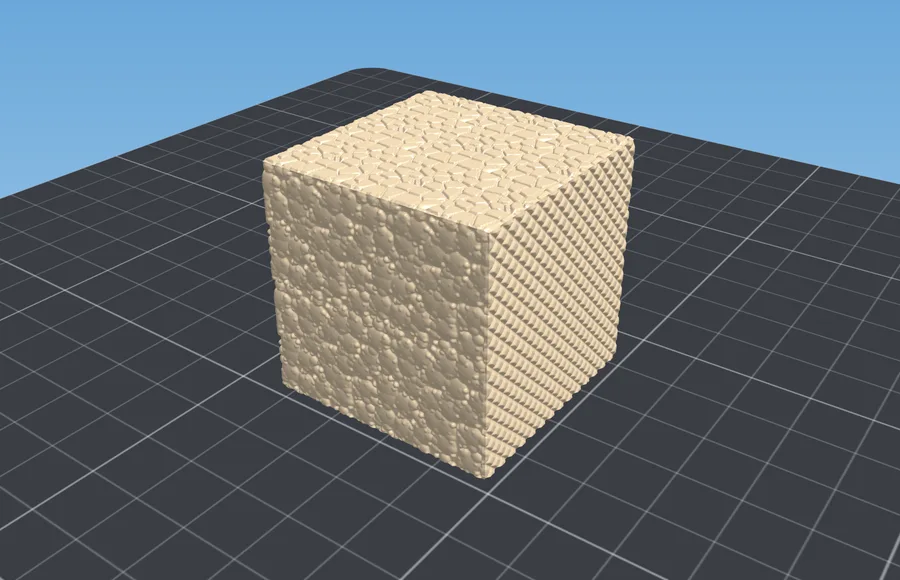
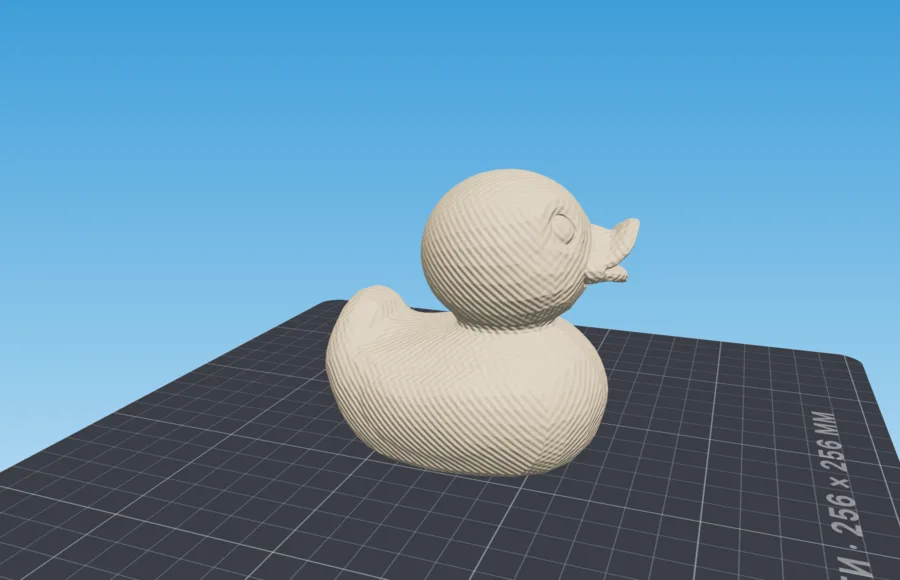
Texture on a 3D model from a height map
Puts real relief on your model rather than a picture: the pattern becomes geometry and the printer prints it as it is. The file is sent only for the computation and is not stored.
- Input: Model + image
- Output: Model with relief
This tool is in the works. Order and timing live in the project roadmap.
What you get
- The relief becomes geometry: the slicer sees exactly the pattern you saw in the viewport.
- The pattern comes off mating surfaces — the bottom and flat seats stay smooth.
- One part on the way out: a textured model can go straight into a mold or into a splitter.
How it works
- 1Upload a model and a height mapAn STL, OBJ or 3MF model plus a PNG or JPG height map. No map of your own — built-in patterns are there.
- 2Fit the patternTile size in millimetres, relief depth, projection. The fast preview draws the pattern with a shader, the exact one with real geometry.
- 3Download the STLTriangle count and bounding size are written out. Simplification takes the excess mesh away without eating the pattern.
If something went wrong
Symptom, and what to change
- The pattern is invisible in print
- Depth is below the layer height: depth → 0.8 mm, layer → 0.12 mm.
- The part lifts off the bed
- The texture reached the first layer: turn “leave the bottom smooth” on.
- The pattern is stretched on a cylinder
- Wrong wrap axis: pick the body's actual axis.
- “Too many triangles”
- The tile is small for the model: quality → draft, or a larger tile.
- The print came out coarser than the preview
- The fast preview draws the pattern with a shader: switch to real geometry.
Questions
Good to know
How is this different from fuzzy skin in the slicer?
Fuzzy skin is random nozzle jitter on the perimeters: the same noise all over the part, not chosen and not visible before printing. Here you get a specific pattern at a specific scale, visible in the viewport, removable from mating surfaces, and it stays in the file — a textured model can go straight into a mold.
The pattern is not visible in print
The relief depth is below your layer height. Raise the depth to 0.8 mm and print at 0.12–0.2 mm with at least two perimeters — the first one is eaten by the relief itself.
“Too many triangles” — what do I do?
The pattern is too fine for the size of the model. Take draft quality or make the tile larger. The triangle limit can be raised, but the tab needs the memory.
Does my model go to your server?
No. Both the model and the height map stay in the browser; only the fact of a download reaches the server.
Related tools