Silicone molds
Vase and planter mold
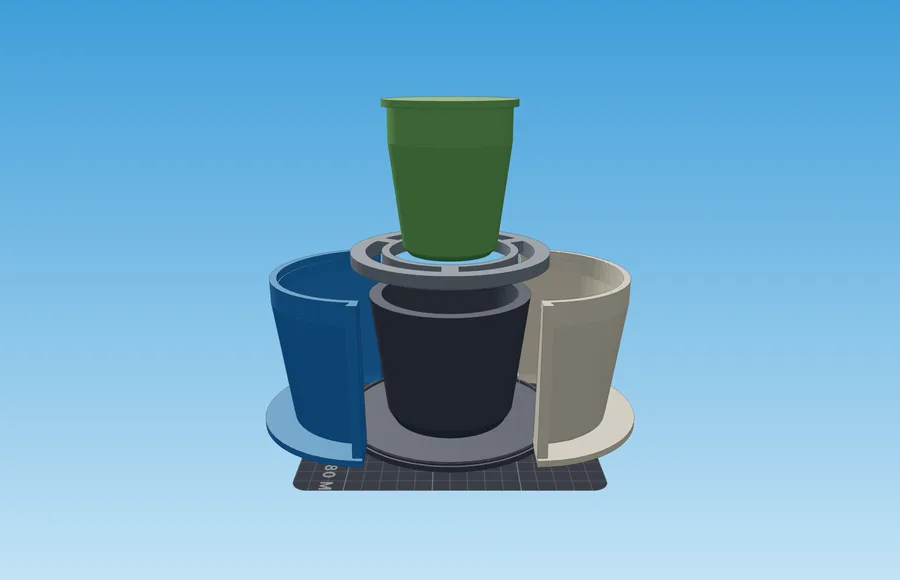
Builds a set for a hollow casting from your hollow vase: formwork for the silicone mold and a core that follows the vase's inside. The file is sent only for the computation and is not stored.
- Input: Model
- Output: Formwork and core
Building a mold and looking it over needs no account. Signing in is only required to download.
What you get
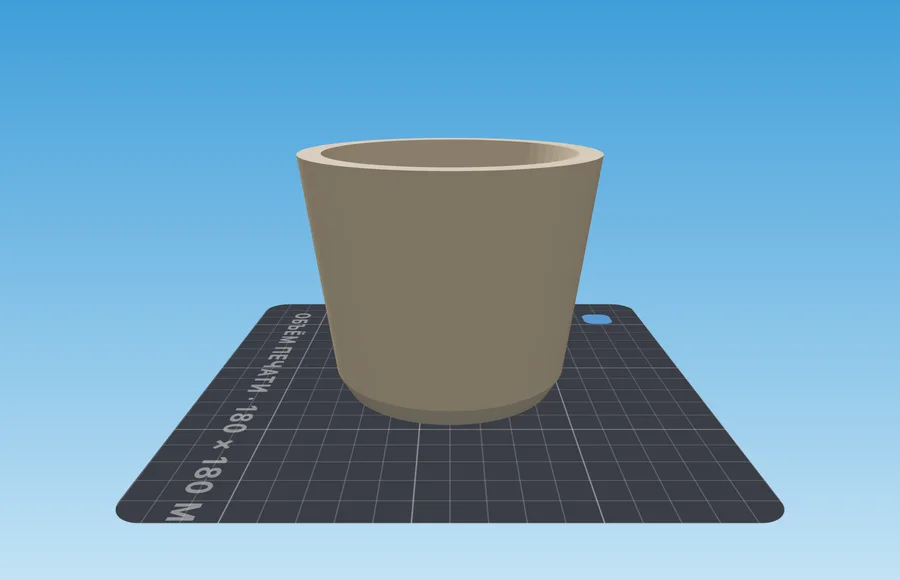
- Two-piece formwork that follows the vase's silhouette, and a hollow model: the silicone hugs its wall on both sides and closes over the rim.
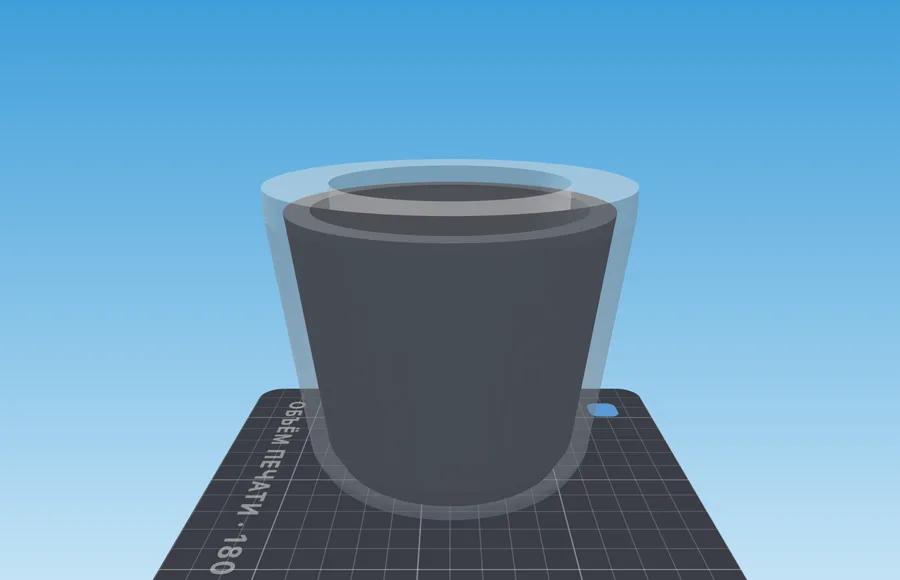
- A core on a yoke that follows your model's inside: it leaves an even layer of silicone inside the mold instead of a plug, and props it up from inside while you cast.
- The vase is cast upside down: the rim comes out molded, and the bubbles go to the bottom, where nobody sees them.
How it works
- 1Upload a vase or a planterIt needs to be hollow and open at the top, widening or narrowing all the way up. Its wall becomes the casting wall.
- 2Check the coreIt is shown as a ghost inside the model, one silicone layer away from its wall. Below a narrow neck the core is no wider than the neck, or it would not come out, so the layer is thicker there, and the panel says so. For a planter, add a drain hole.
- 3Print and pourPour the silicone, lay the yoke on the shell and lower the core through it until its collar rests on the hub. A day later take the mold off the model, turn it over, slip it onto the core, put the shell around it and pour the concrete through the bottom of the vase.
Material and process
What to keep in mind before pouring
| Setting | Value | Why |
|---|---|---|
| Model wall | 6 mm plaster, 8 and up for concrete | The casting wall is the model's wall. A thin one chips at the rim and cracks when the silicone is peeled off |
| Silicone thickness | 12 mm small, 15–18 for concrete | Concrete pushes harder than resin, and a thin mold bulges |
Slicer settings are the same for every mold and live on their own page: how to print molds
If something went wrong
Symptom, and what to change
- The model will not come out of the silicone
- The model has a belly: turn it. Peel the outer layer off the model like a sock and turn the inner one out of its inside.
- The inner layer of the mold tore
- The inner silicone is too thin: 8–10 mm instead of 6.
- The casting rim is wavy
- The bridge over the rim sagged between the yoke spokes under the concrete: make the silicone over the rim thicker.
- The casting floor is too thin
- The concrete was poured below the silicone edge: fill it level with the edge and screed along it.
Questions
Good to know
How is this different from an ordinary silicone mold?
The silicone hugs the vase on both sides of its wall: outside and inside the hollow model, closing over the rim. A printed core that follows the model's inside is lowered into it, so the mold gets an even inner layer of silicone instead of a solid plug. The concrete goes into the mold turned upside down, through the bottom of the vase, so the rim comes out molded rather than smoothed by hand, and the inner silicone layer simply turns out of the casting.
In what order does all this go together?
Print the base with the model, the two shell halves, the core and the yoke. Assemble the shell around the model, pour the silicone, lay the yoke on the shell and lower the core through its hub until the collar rests on it. A day later pull the core and the yoke, take the shell apart and peel the mold off the model. Turn it over: core collar-down on the table, the yoke onto it, the mold over the core rim-down, the shell around. Pour the concrete through the open bottom of the vase, level with the silicone edge, and screed it.
Which vases will work?
Any whose silhouette widens or narrows monotonically from bottom to top — that is nearly every vase, planter or cup. A body with a belly in the middle will be hard to get out of cured silicone, and the panel will say so. For complex organic shapes there is /open-top-silicone-mold.
Does the model have to be hollow?
Yes, and open at the top. The model's inside becomes the inside of the casting, and its wall becomes the casting wall: the vase comes out the way it was drawn. Make a solid model hollow in your CAD or slicer — the panel tells you if there is no inside, and warns if the wall is thinner than you asked for.
Does my model go to your server?
It is — but only for the time it takes to compute. We do not store it: no archives, no copies. Until you press the button, the file never leaves your browser.
Related tools